Put AI to work
Turn the work people already do into AI they can use this week.
People describe a normal workday. Z maps each process step by step, with AI support at each step. They leave with a design for your company's AI tools.
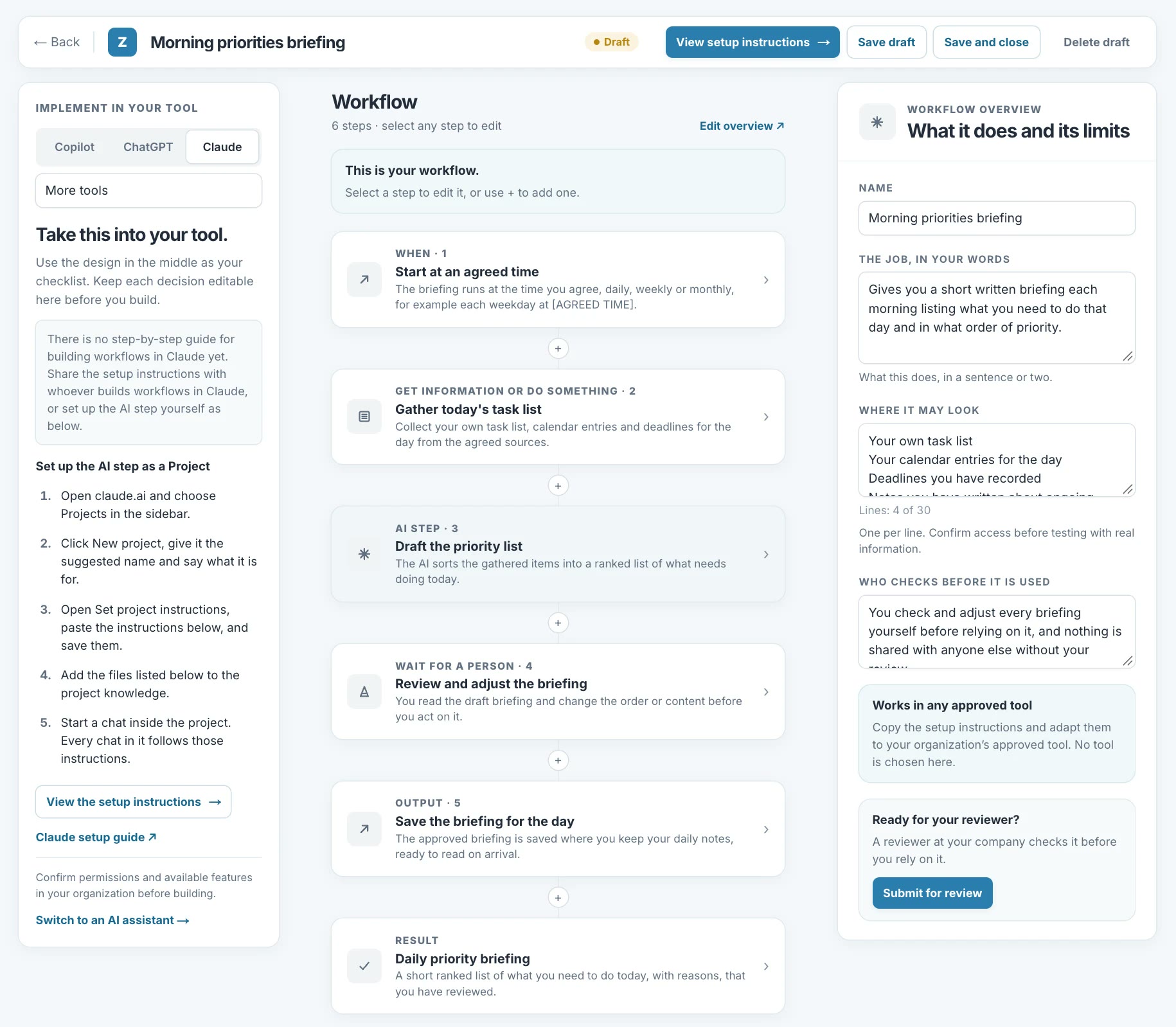
Method
From a workday to a design, in four steps.
Workflow Quest
The person describes a normal day. Z extracts the processes from their own words, and the person marks which ones they own.
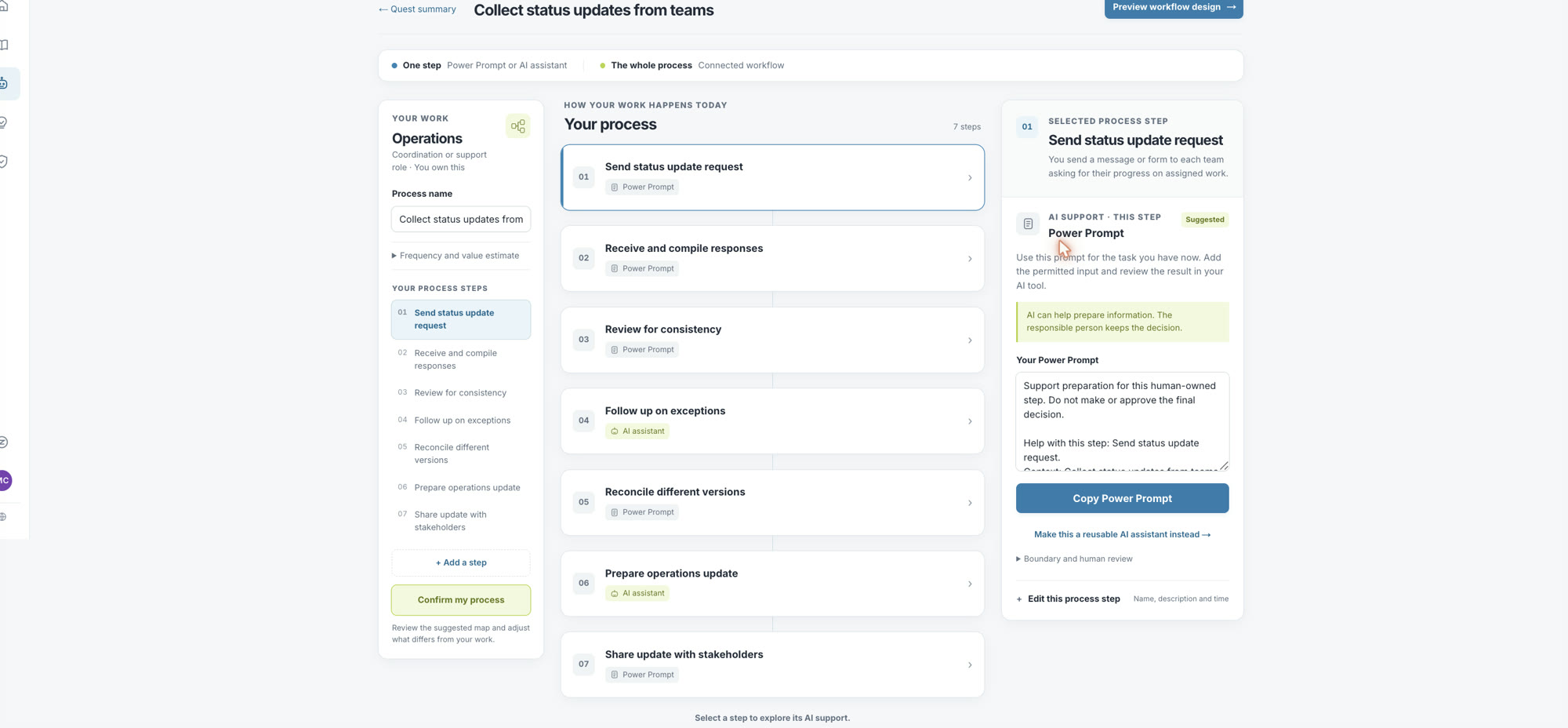
Process maps
Each process becomes a step-by-step map. One-off steps get a Power Prompt. Repeated steps get an AI assistant.
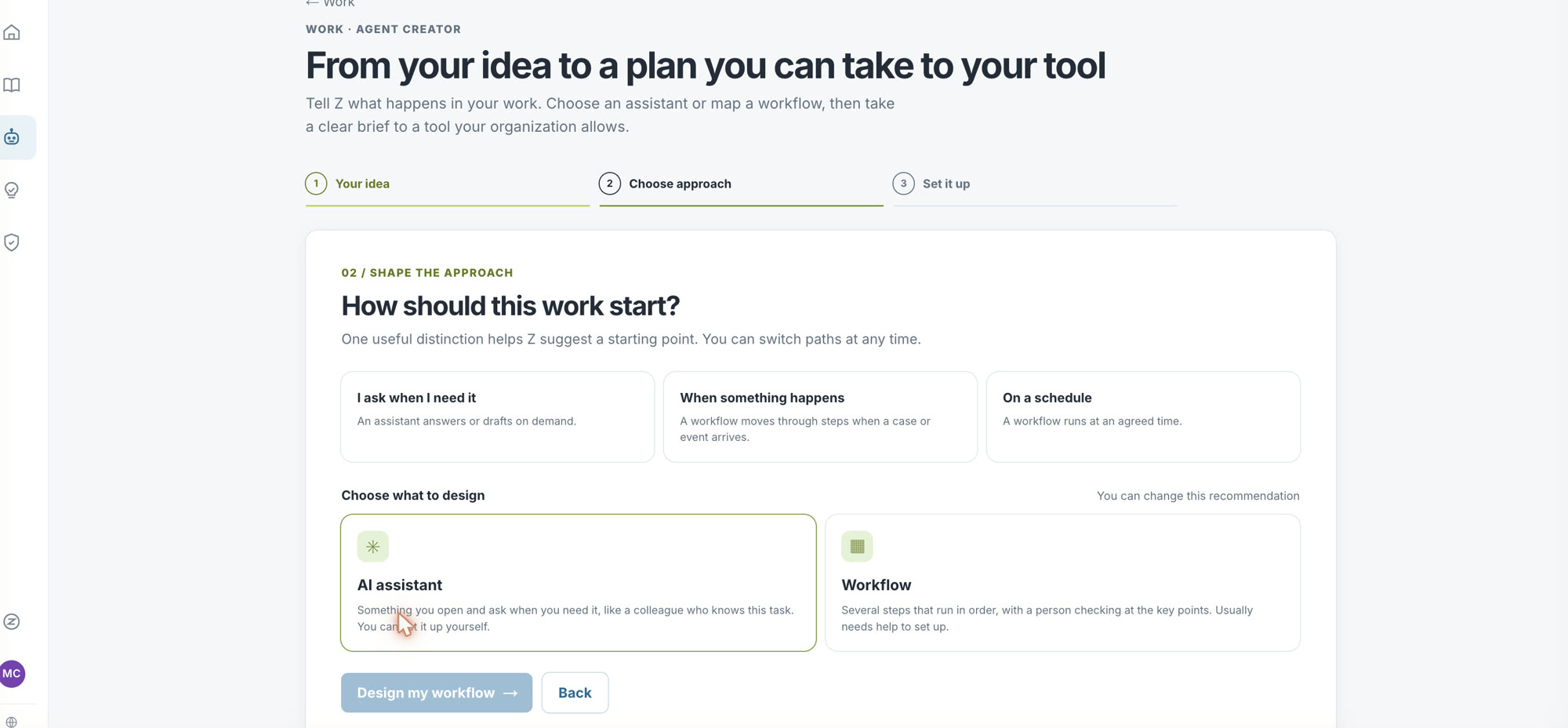
Agent Creator
The person designs an AI assistant or a workflow. Z recommends which one and says why.
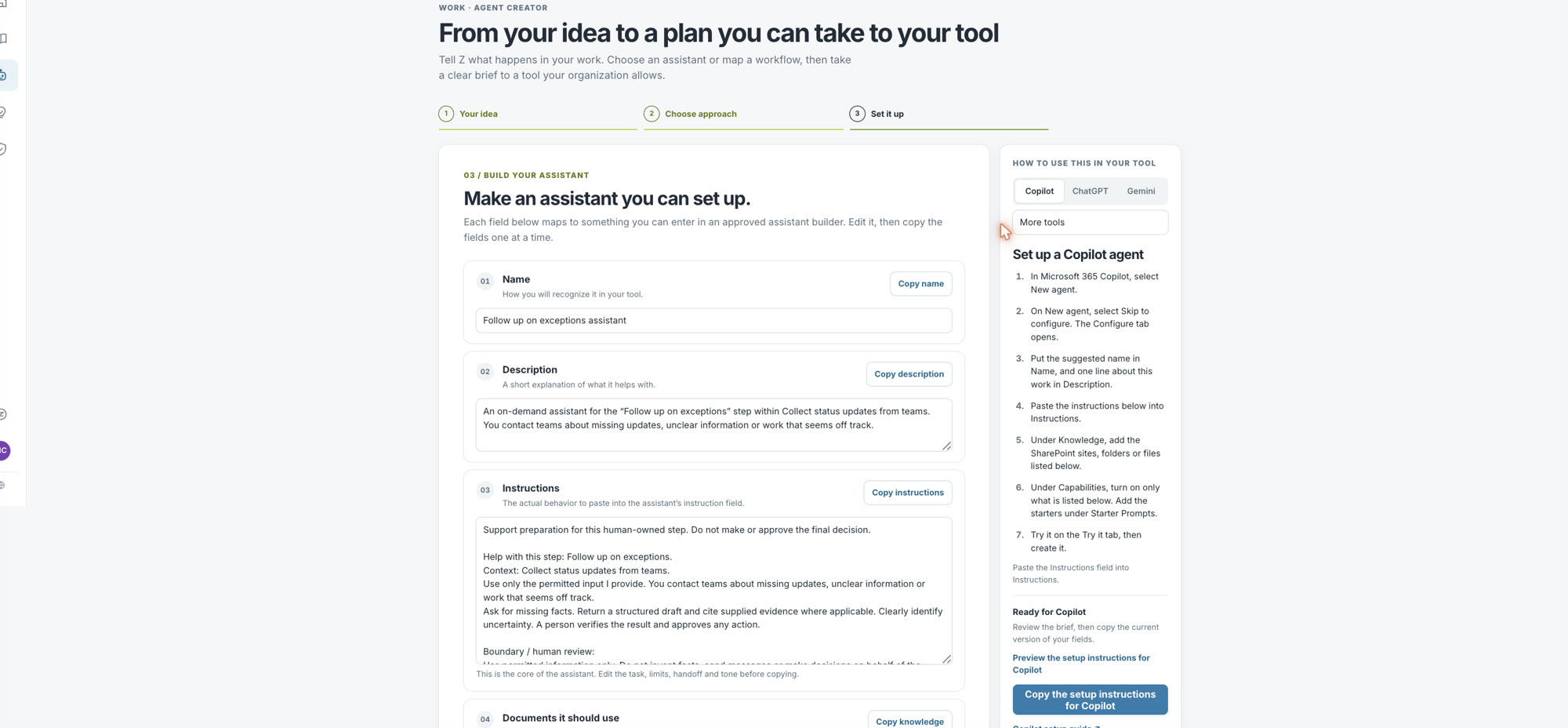
Setup instructions
A complete specification ready to paste, with the AI instruction, a guardrail, the human approval step, a before-activation checklist and the setup steps for the chosen tool.
Governance
Designs run in your own approved tools.
The platform produces the design. The assistant or workflow runs in the tool your company already uses, and the platform keeps the record of who owns it and whether it was reviewed.
- Every design names who checks it before anyone relies on it.
- A workflow can be submitted for review by someone at the company.
- An agent someone already built can be registered, with its owner and the approved tool it runs in.
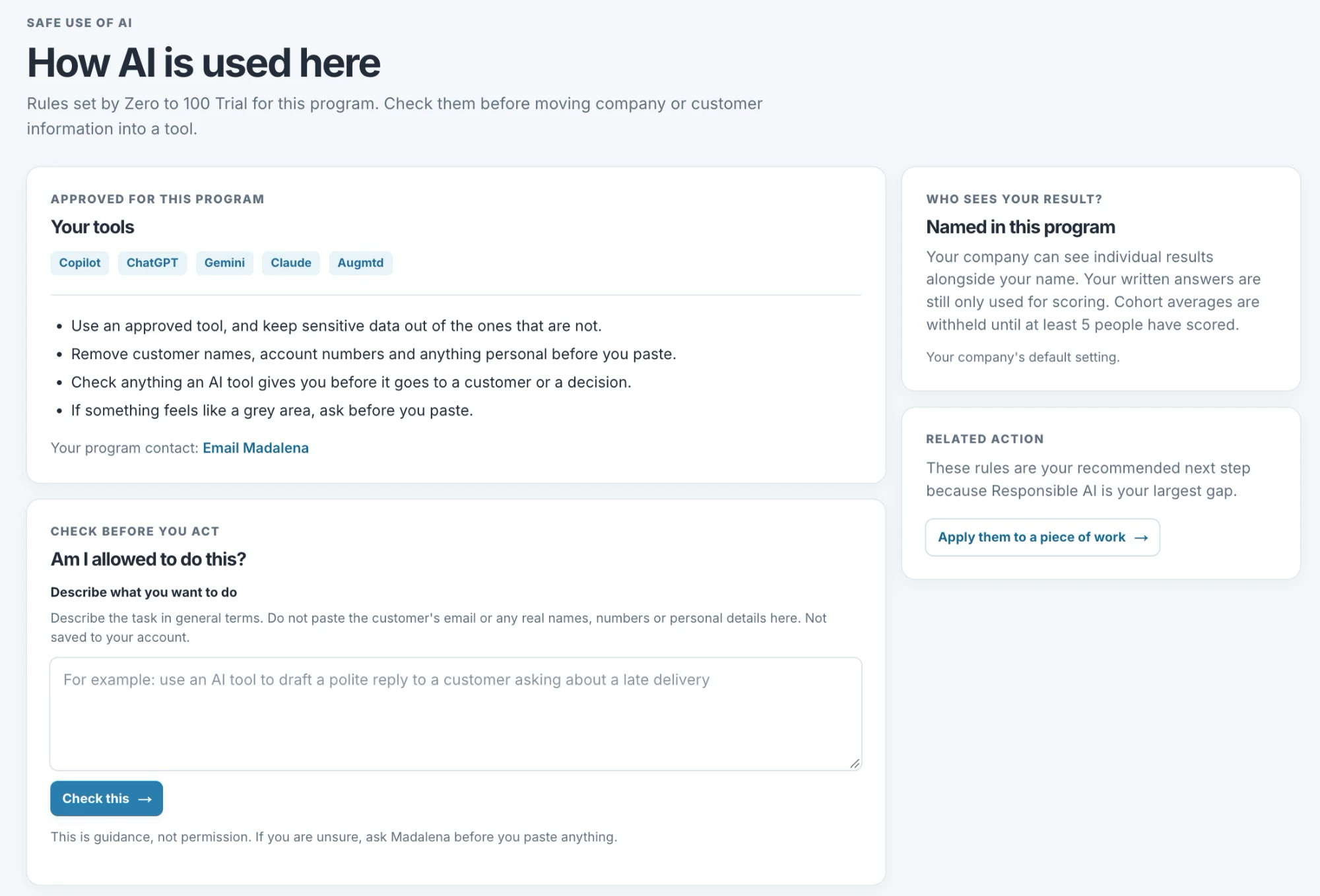
- Safe use of AI shows each programme's approved tools and rules, with an "Am I allowed to do this?" checker.
Leader view
Every agent, its owner and its review.
AI Use Cases
Every process area people named, with the hours a year at stake and a ranked starting list.
Similar workflows
The same shape of work across different people, so one shared agent can cover several.
Agent registry
Every agent, its owner, its source, the tool it runs in, and whether it has been reviewed. Off-policy tools are flagged.
Hours are the annual cost of the work as reported, never a savings promise.
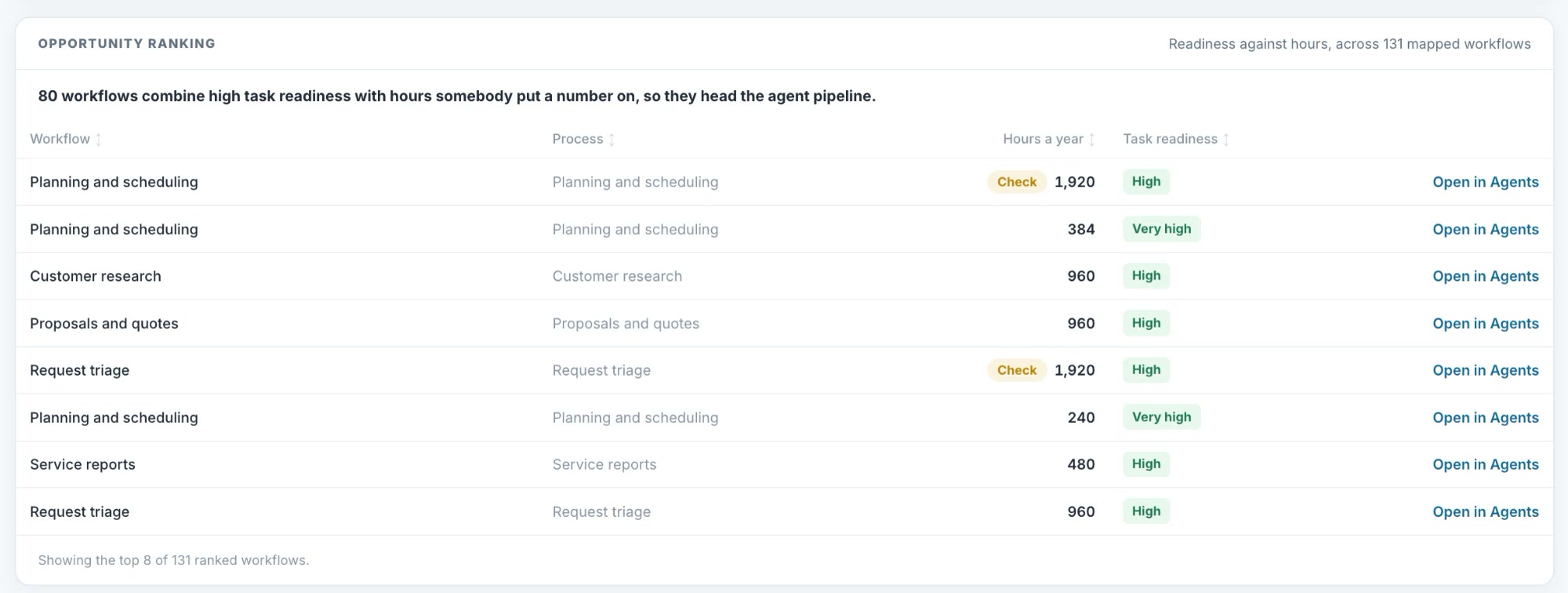
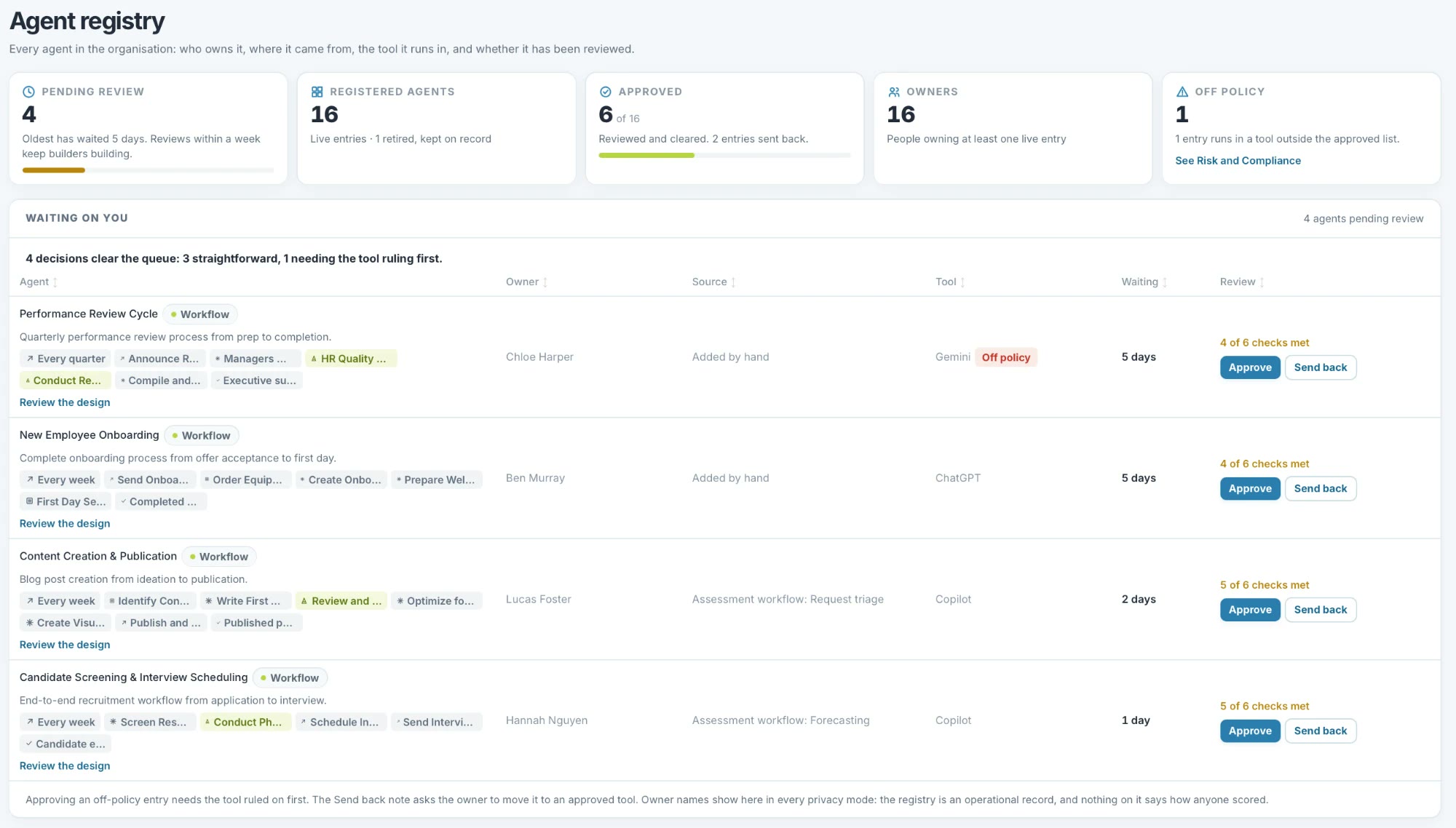
Screen from a demonstration cohort.
AI Opportunities
Ideas for the business, from the people who do the work.
Anyone in the programme can suggest an AI improvement. Each company chooses how: The full AI Canvas, nine questions across Define, Design and Deploy with Z's drafting help, or a shorter share-and-review form. Leaders score every idea on their own value and feasibility weights, see it on a portfolio and across three investment horizons, and track it from review to pilot. An AI advisor recommends; people decide.
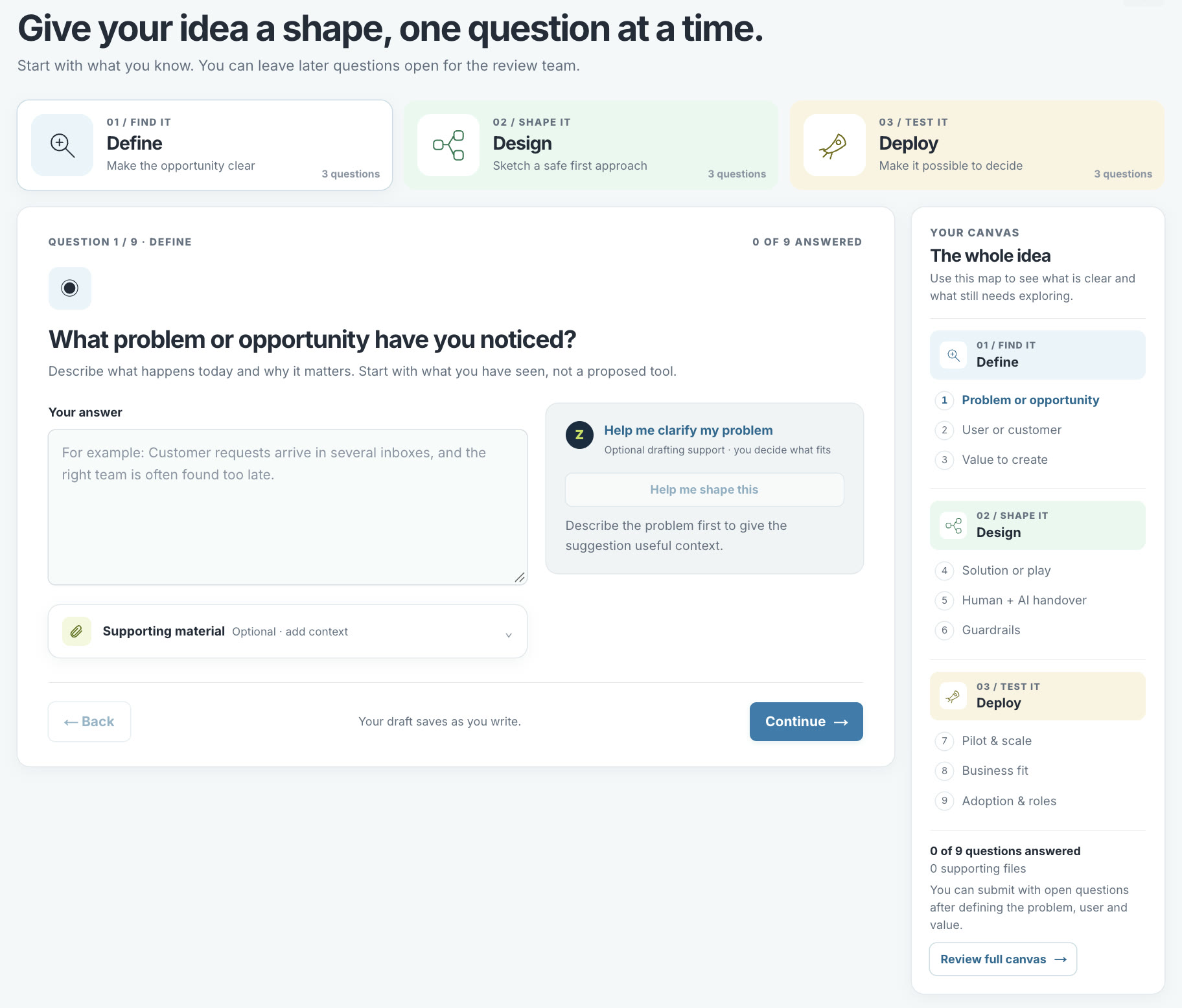
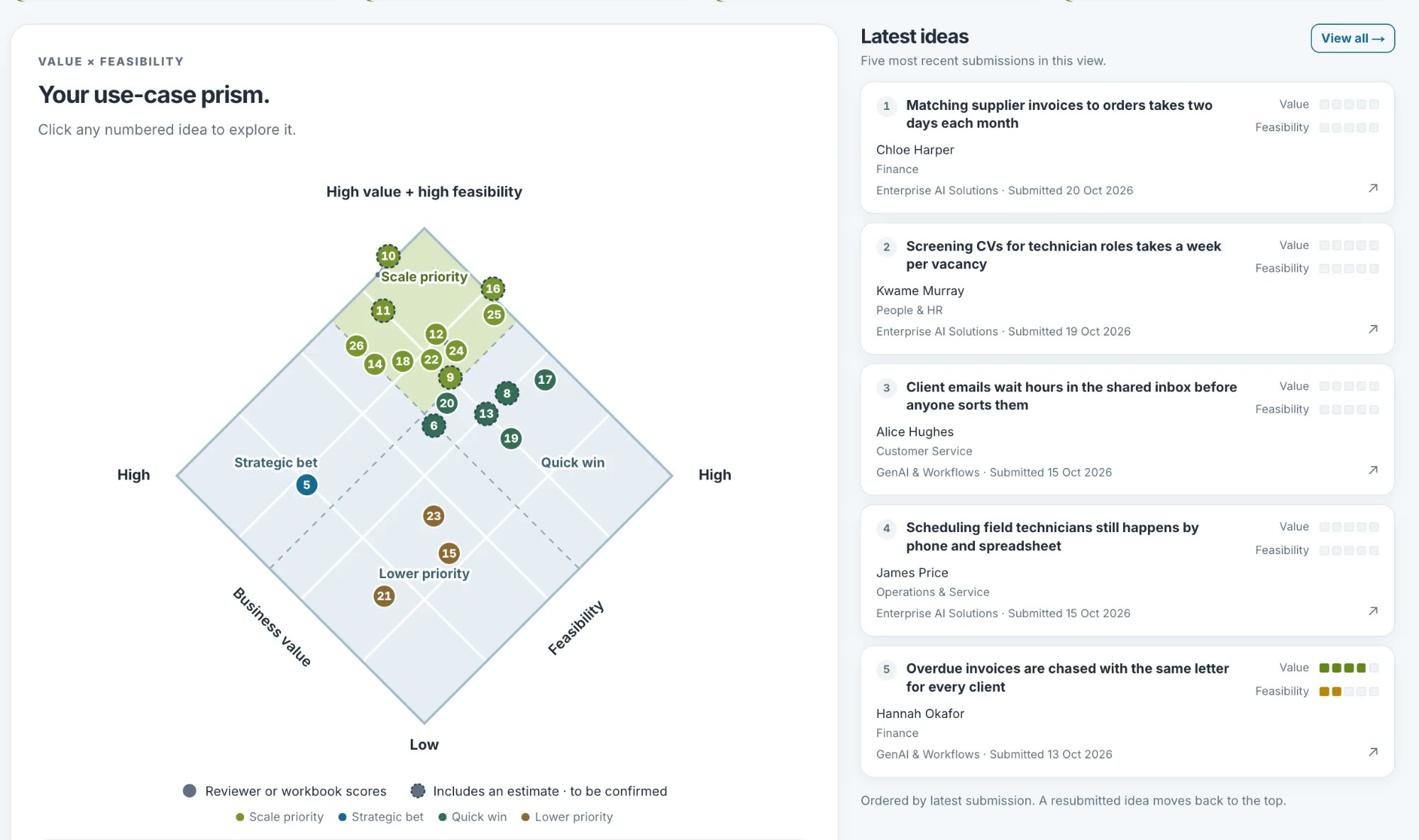
Leader view from a demonstration cohort.
Z100 MCP
Designs inside the tools people already use.
With Z100 MCP switched on, each person's designs and the company's safe-use rules are available inside the AI tools your company uses, such as Claude, ChatGPT and Copilot. Usage logging is a separate setting. When it is on, it records which design was used, in which tool and when. The conversation itself is never recorded.
Switched on per client.
Next step
Plan a programme with us
In-company programmes for leaders and teams, taught by René Bohnsack and faculty matched to your sector.